
Four scenarios, one Google Sheet
The Futbol Alliance's registration, payment and gate check-in run on four Make.com scenarios that share one Google Sheet. Each scenario has a single job, so the team can see what ran, what it did and where it stopped. The screenshots below are the real scenario canvases, with the module settings closed.
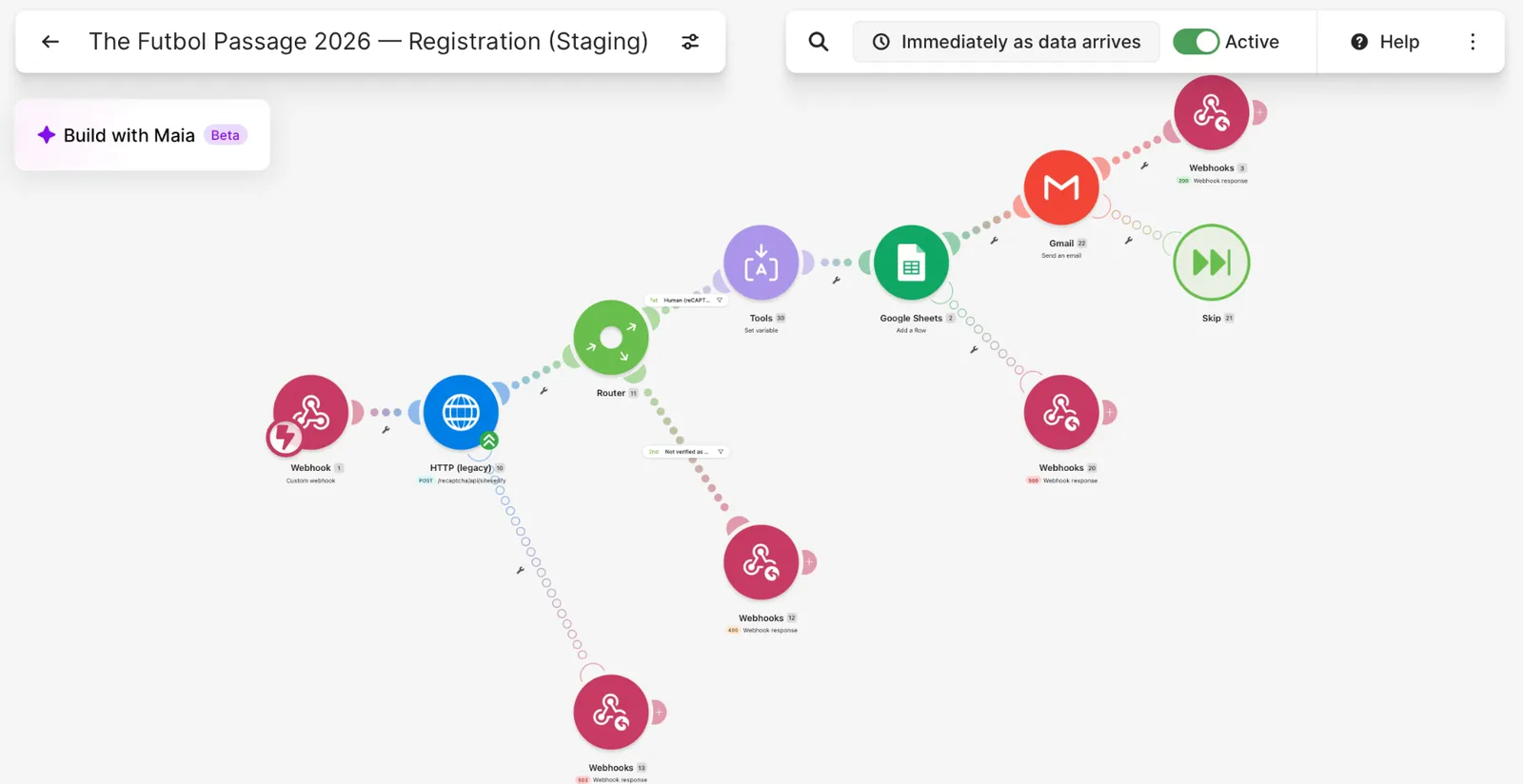
Scenario 1: registration with a reCAPTCHA check
The first scenario receives each registration from the website. It checks the reCAPTCHA result with Google first and only continues when the visitor scores as human. It then creates a payment reference from the player's surname plus four digits, adds the registration to the Google Sheet as Unpaid, and emails the parent the bank-transfer details and that reference. If the check fails, the website is told so and nothing is saved, and if the verification service is unavailable, the website gets a clear error to retry.
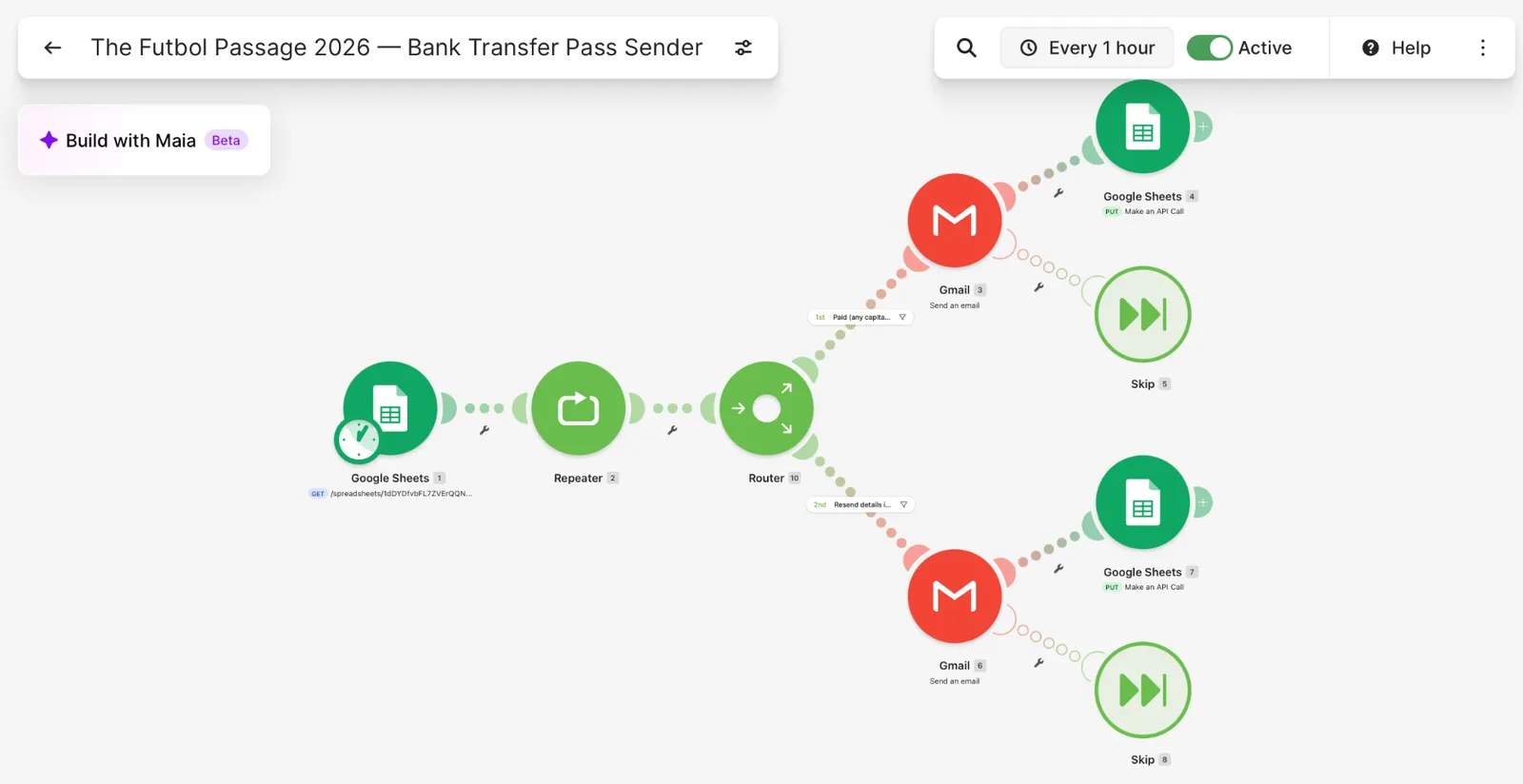
Scenario 2: the hourly pass sender
The second scenario runs every hour. It reads every row in the Sheet and checks them one by one. When a row is marked Paid and the pass has not been sent, it emails the player's pass with the gate QR code and the right WhatsApp group link, then marks the row so it is not sent twice. A second route re-sends the payment details whenever the team sets the Resend details column to Yes. The check ignores capital letters and extra spaces, so Paid, paid and PAID all work.
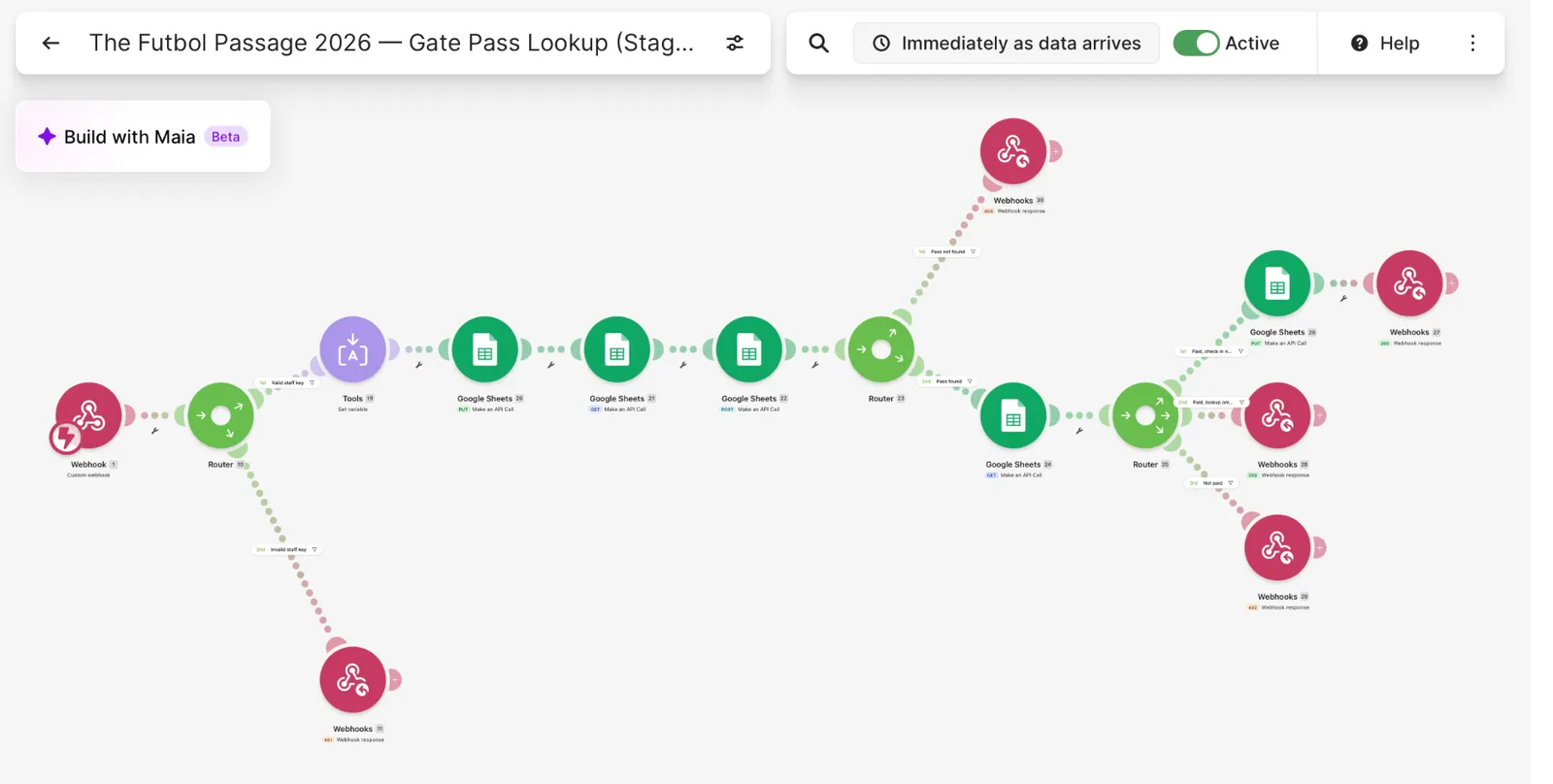
Scenario 3: gate pass lookup and check-in
The third scenario runs the gate scanner. When staff scan a QR code, the scanner calls this scenario with a staff key and the pass ID. A wrong key is refused. A right key looks up the pass in the Sheet and returns one of four results: pass not found, payment not confirmed, valid and checked in now with a timestamp, or valid but already checked in. Each result is returned with its own status code, so the scanner can show staff a clear message.
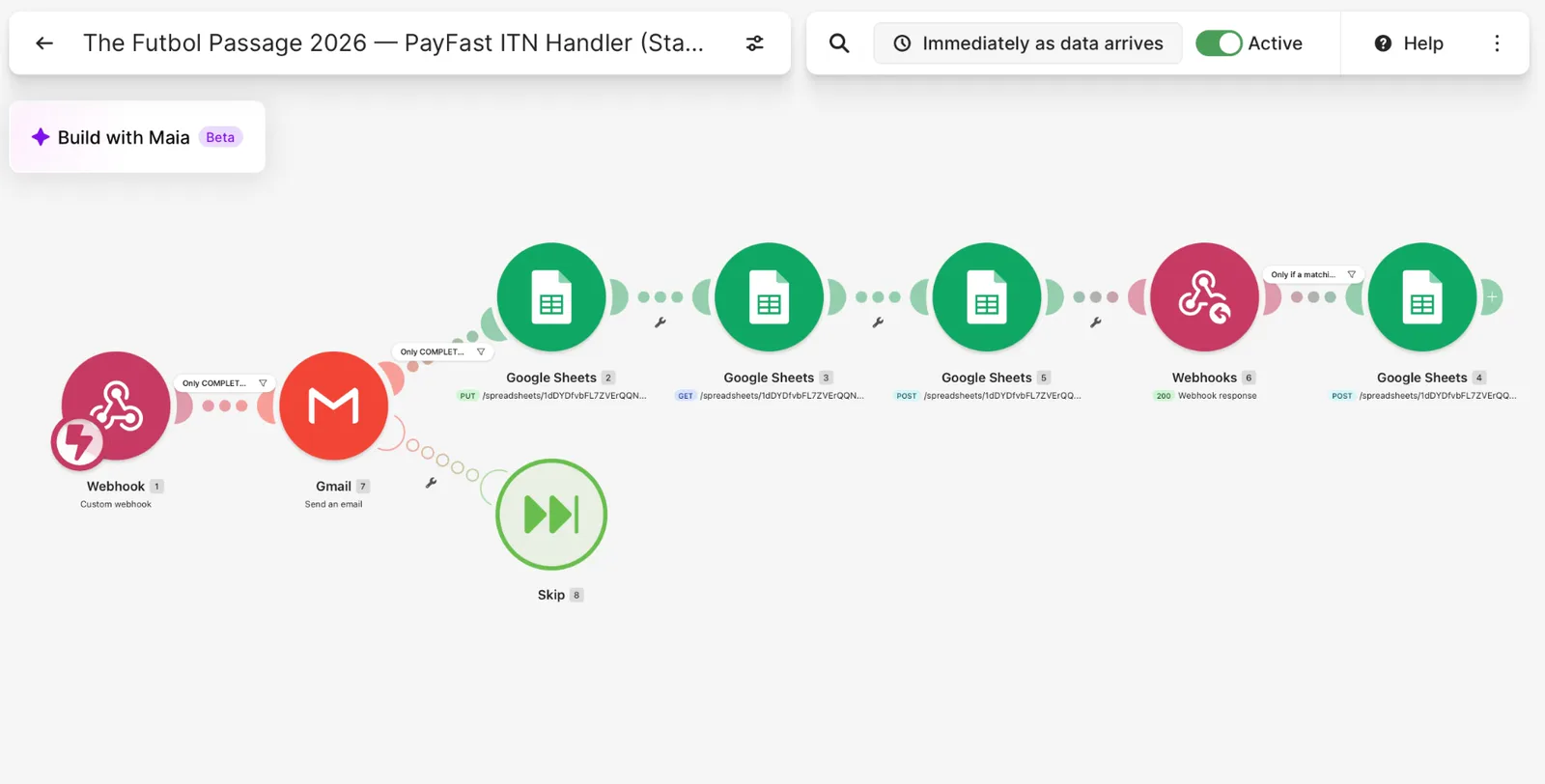
Scenario 4: the PayFast payment handler
The fourth scenario is the online card payment handler. It receives PayFast's payment notification, acts only on payments that PayFast marks as complete, updates the registration in the Sheet and sends a confirmation email. It has been tested in the PayFast sandbox, and it will be used once the client's live merchant account is approved.
Why this design works
Three decisions made this reliable for a small team. The Sheet is the single source of truth, so what staff see is what the automations read. Each scenario does one job, so a failure in the pass emails cannot stop a registration or a gate scan. And every scenario answers with clear success or error responses, so problems show up as messages instead of silence.
Read the full case study
For the full story of the website, the payment reference and the gate scanner, read the main case study: The Futbol Alliance: a Registration, Payment and Gate Check-In System for a Youth Football Camp.